
On this page
The GA4 cheatsheet
GA4 Spy · Cheatsheet is Brais Calvo’s GA4 reference. It brings together the dimensions, metrics, events and parameters Google publishes for Analytics, along with their technical names, scope and availability across different surfaces.
The project is updated as new dimensions, metrics or parameters appear, and it keeps a changelog so additions, changes and removals can be tracked. Alongside the reference, it includes tools for preparing reports, comparisons and dashboards through links that open in your own GA4 session.
Find the right field
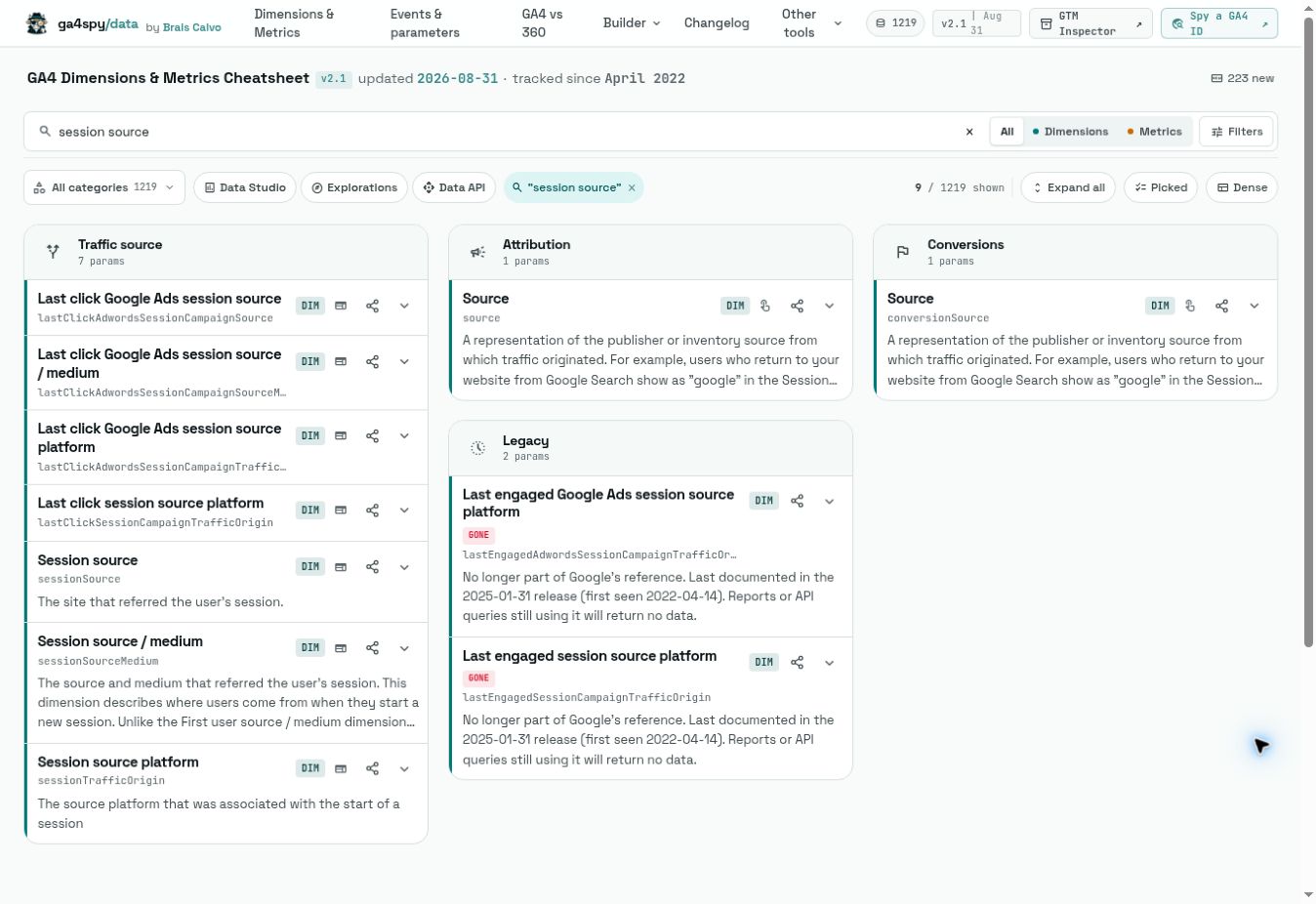
The dimensions and metrics catalog lets you search by name, UI identifier or API name. You can separate dimensions and metrics, filter by category and check availability in Looker Studio, Explorations and the Data API.
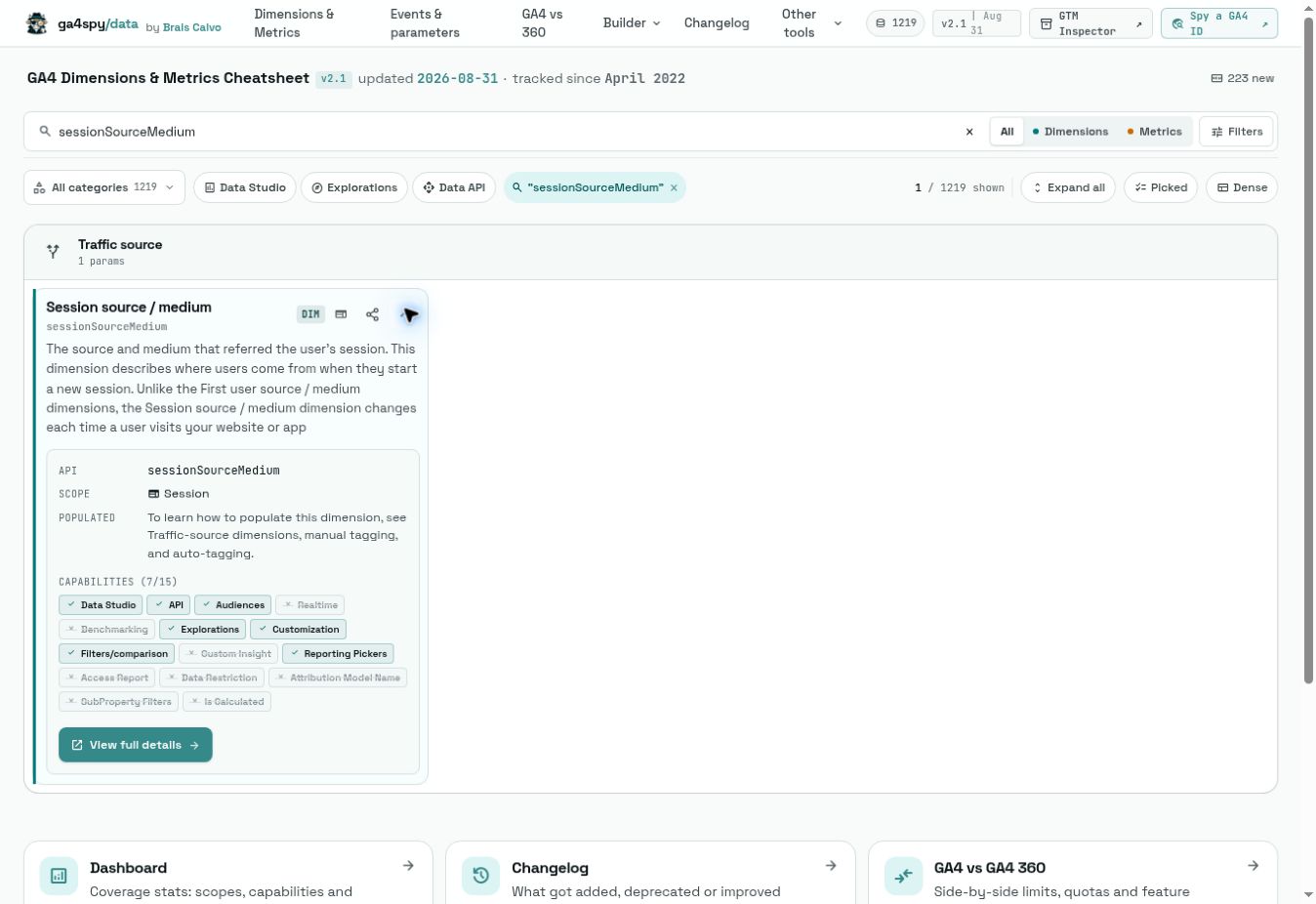
Scope and context help frame the question correctly. For example, when preparing an acquisition analysis, it matters whether a field refers to the session or to the user’s first touch. A field page lets you inspect those differences before choosing something just because the label looks similar.
The reference is also useful when coordinating analysts and developers: you can point to the exact field you mean instead of assuming that the visible GA4 label matches the name used in an API request.
Events, parameters and edition differences
The Events & parameters section collects recommended, automatic and Enhanced Measurement events, as well as entries marked as deprecated. Detail pages connect events with their parameters, expected values and platform availability.
There is also a section for limits and reserved names. It can help when preparing a measurement plan: search for an action, check whether Google already recommends an event and review its parameters before defining a new name.
The GA4 vs GA4 360 comparison organizes differences in limits, quotas, features and retention. Use it as a reference and verify the conditions that apply to your own property before making capacity or purchasing decisions.
Three builders for preparing analysis
| Builder | What you prepare |
|---|---|
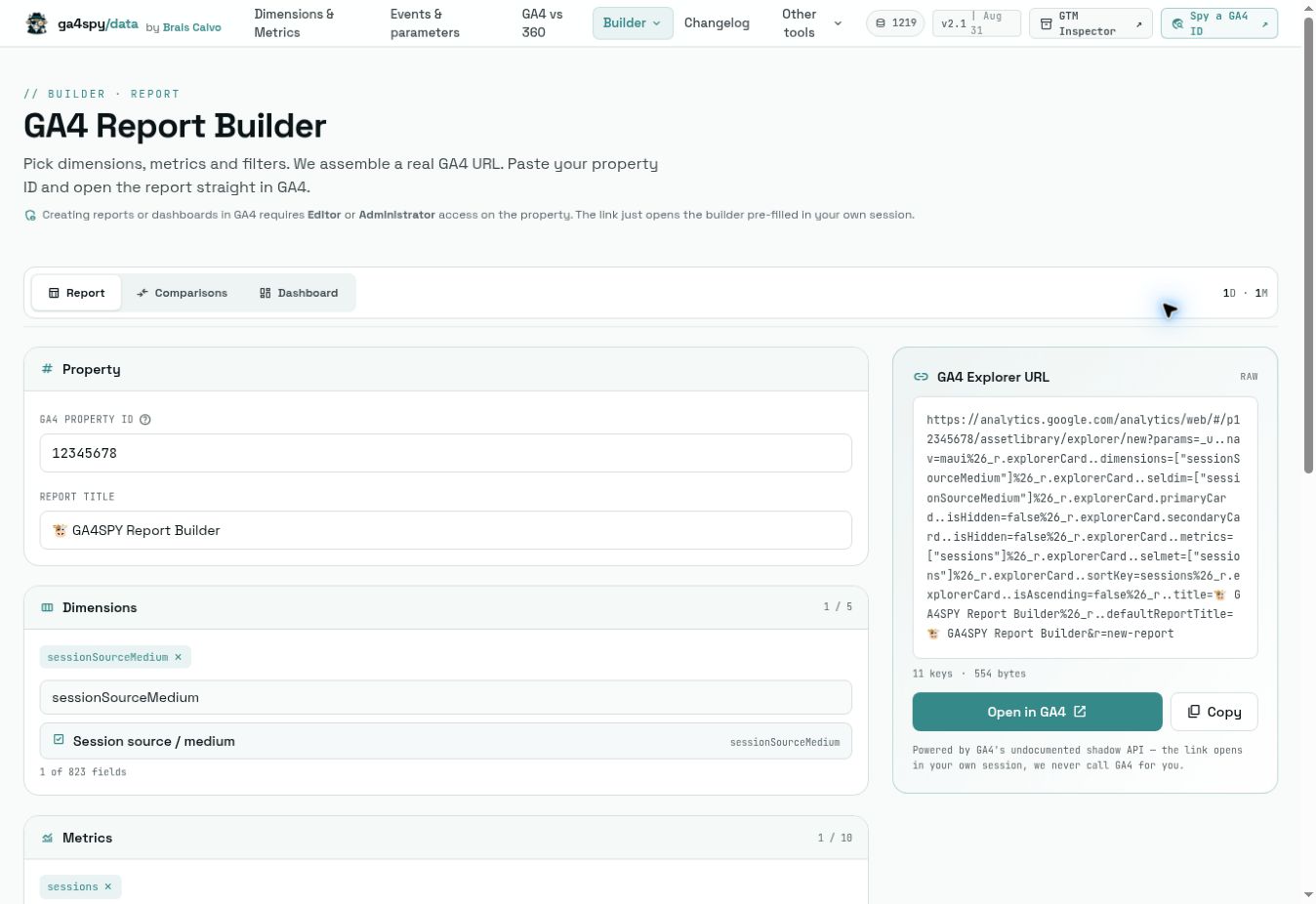
| Report Builder | Dimensions, metrics, filters and a report title, together with the destination property ID. |
| Comparison Builder | Comparison conditions for viewing groups side by side in GA4. |
| Dashboard Builder | A set of cards and visualizations: scorecards, tables, lines, bars, columns, donuts or funnels. |
Dashboard Builder also offers an option to import a compatible builder URL and reconstruct its cards, so a configuration expressed as a link can be reopened later.
A practical example: prepare an acquisition report
You want to review several traffic sources using a consistent definition. First, search for acquisition fields and check their scope and availability. Then build the report with the appropriate dimensions and metrics and add the filters that delimit the analysis.
- Open the catalog and locate the fields you need.
- Review their technical names and context; do not choose only by label similarity.
- Open Report Builder, enter the numeric property ID and add dimensions, metrics and filters.
- Review the configuration and use Open in GA4 or copy the generated link.
- In your GA4 session, check the result, adjust it and save the report if you have the required permissions.
The link carries the analysis configuration. Data and permissions remain inside your Analytics property.
Things to keep in mind
The builders open GA4 in your own session; they do not query the property on your behalf. The interface notes that creating reports or dashboards requires Editor or Administrator access.
The URL mechanism documentation explains that it relies on a format that Google does not officially document. Names and parameters may change, so verify the result when opening a link, especially if you are reusing an old one.
A field being present in the catalog does not guarantee that every combination will produce the expected report: scope, property configuration and available data still matter. The changelog helps track additions, renames, capabilities and removals.
To investigate the published configuration of a website or container, continue with GA4 Spy.
Credits
Created by Brais Calvo.